
 Login
Login 

Guides
Microsoft Single Sign-On for Workforce Software: What IT Should Ask
By Richard Lomen · 14 August 2026 · Updated 3 September 2026

Most field businesses buy rostering software the same way. Operations picks it because it solves a real problem, finance approves it, and it goes live. Somewhere around the point where 80 people are using it daily, someone in IT asks how those 80 accounts are managed, and the answer turns out to be “there is a spreadsheet”.
Single sign-on is the unglamorous fix for that. It rarely wins a deal on its own and it never appears in a demo highlight reel, but it is often the detail that decides whether a mid-size contractor’s IT manager signs off or sends everyone back around the loop. If your business runs on Microsoft 365, and most Australian construction, civil, mining services and trades businesses do, it is worth understanding what SSO covers before you commit to a platform.
What single sign-on actually is
Single sign-on means your workforce platform does not hold its own separate password for each person. When someone signs in, the app hands them off to your identity provider, Microsoft in this case, which confirms who they are and hands them back with an answer. The app never sees or stores the password.
Two things it is commonly confused with are worth separating out.
SSO is not the same as multi-factor authentication. They are different controls that pair well. MFA is about proving identity with more than a password. SSO is about where identity is checked and who owns that decision. The numbers behind that pairing are stark. Microsoft’s Digital Defense Report 2025 found more than 97% of identity attacks are password attacks, identity-based attacks surged 32% in the first half of 2025, and MFA blocks over 99% of identity-based attacks. What SSO does is make MFA worth configuring once: enforce it centrally on the Microsoft account and every connected app inherits it, instead of hoping each vendor implemented its own version competently.
SSO is not “the same password on everything”. That is password reuse, which is the failure mode SSO exists to prevent. With SSO there is one account, not one password copied into twelve places, and there is exactly one place to disable it.
Microsoft’s own overview of single sign-on is the reference if you want the mechanics in detail.
Why this matters more in field businesses than in offices
In a business where everyone sits at a desk with a company laptop, account management is tidy almost by accident. Field operations are the opposite on every axis that matters.
Turnover is high and lumpy. A shutdown crew arrives for a fortnight and leaves. Labour hire fills a gap for three weeks. Seasonal work doubles headcount and then halves it. Every one of those movements is an account created and, in theory, an account removed.
The workforce is blended. Employees, labour hire and subcontractors work the same job. Some belong in your Microsoft tenant and some do not, which is a real design question rather than a detail.
Nobody is at a desk. Access happens from a phone at 5am in a car park, often on a poor connection, frequently by someone who does not think of themselves as a computer user. Password resets in that context are not a minor annoyance. They are a phone call to a supervisor who is trying to start a shift.
The offboarding trail is long. When someone leaves a field business, the list of things to revoke is genuinely long: site access, fuel cards, keys, PPE, and every app they were signed into. The apps are the ones nobody can see, which is why they are the ones that get missed.
That last point is the whole argument, and it deserves its own section.
The account that never gets closed
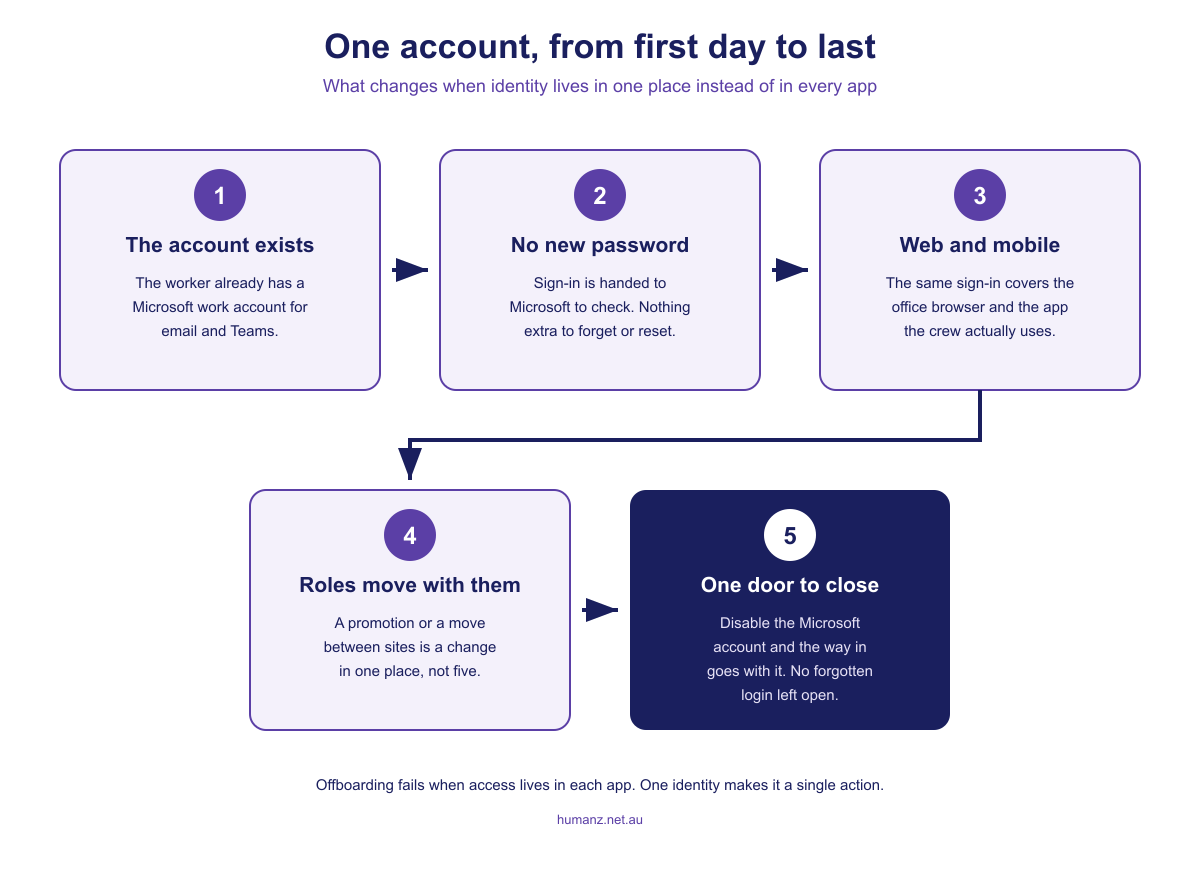
Consider what happens when a supervisor resigns on a Friday. IT disables their Microsoft account, which handles email, Teams and the file shares. Meanwhile the rostering platform, bought by operations two years ago and holding its own separate credentials, has no idea anything happened. That login keeps working: to the roster, to worker contact details, to timesheets, to whatever else the platform holds.
Not because anyone was careless. Because nothing connected the two events.
With SSO, the two events are the same event. Access to the platform depends on the Microsoft account being able to authenticate, so disabling the account centrally removes the route in. Offboarding becomes one action in one place instead of a checklist that depends on somebody remembering which systems that person had.
The Office of the Australian Information Commissioner’s notifiable data breaches statistics put some scale on why this matters. In the January to June 2025 reporting period the OAIC received 532 breach notifications. Malicious or criminal attack accounted for 59% of them, at 308 notifications, and human error for 37%, at 193. That second number is the relevant one here. Human error is not usually someone doing something reckless. It is a step in a manual process that nobody performed, on a Friday, when they were busy.
The mobile half that gets quietly skipped
Here is the question worth asking early, because the answer is often not the one you assume.
Plenty of workforce platforms support SSO on the web app and not in the mobile app. On paper the box is ticked. In practice, your office staff sign in through Microsoft and your 200 field workers, the overwhelming majority of your user base, are still on separate usernames and passwords held by the vendor.
That inverts the entire benefit. The people whose access is hardest to track, who turn over fastest and who are least likely to notice a compromised account, are exactly the ones left outside the system you put in place to manage access. And the mobile app is where field workforce software actually lives. If SSO stops at the browser, it has stopped before it reached most of your workforce.
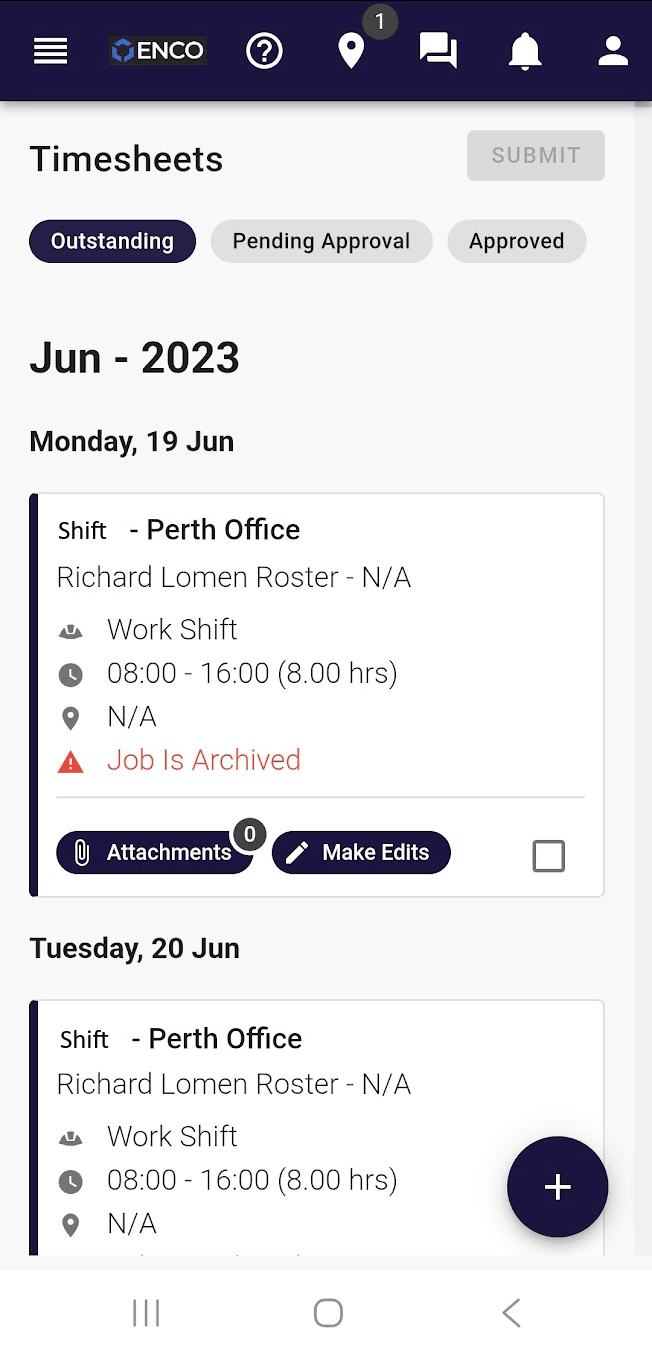
So ask specifically: does single sign-on cover the mobile app as well as the web app. Not “do you support SSO”. The two questions have different answers more often than they should.
What single sign-on does not solve
It is worth being clear about the limits, because SSO is occasionally sold as a security strategy rather than one control within it.
It does not decide what someone can see. Authentication answers “is this person who they say they are”. Authorisation answers “what are they allowed to do once inside”. A worker who should only see their own roster and a coordinator who can see every site’s labour cost both authenticate identically. Permissions still have to be set deliberately in the platform, and reviewed when people change roles.
It does not cover people outside your directory. Subcontractors, labour hire and short-term crews often have no account in your Microsoft tenant and no reason to. Any platform serving a blended workforce needs a sensible way to handle them, and “everyone must have a Microsoft account” is not it. This is the question to ask early if your crew composition looks like most field businesses, and it is closely tied to how you manage subcontractors generally.
It does not manage devices. A personal phone with the app installed is still a personal phone. SSO governs the account, not the handset it is used on.
It does not remove the need to think about leavers. It reduces offboarding to one action rather than several, which is a genuine improvement. It does not perform that one action for you.
None of this argues against SSO. It argues for treating it as what it is: the piece that makes access manageable, sitting alongside sensible permissions and a demobilisation process that someone actually owns.
Where SSO sits in Australian security expectations
If you work for or tender to government, large miners or tier-one contractors, you have probably met a security questionnaire that asks how identity and access are managed across your systems. SSO is a straightforward answer to a question that is otherwise awkward.
The Australian Signals Directorate’s Essential Eight is the baseline most Australian organisations are measured against, and multi-factor authentication is one of the eight. Centralising identity is what makes MFA practical to enforce across every application rather than only the ones that happen to support it well. Restricting administrative privileges, another of the eight, gets similarly easier when roles live in one directory instead of being configured app by app.
For a mid-size contractor this is rarely about a formal maturity assessment. It is about being able to answer a client’s prequalification pack honestly and quickly, which is a commercial capability more than a technical one.
What to ask a vendor
Seven questions, in the order that finds problems fastest.
- Does SSO cover the mobile app as well as the web app? Ask first. It filters hardest.
- Which identity providers are supported? Microsoft, Google, something generic, or a specific standard.
- Is SSO available on our plan, or is it an enterprise upsell? A common and unwelcome surprise late in a procurement.
- What happens when a Microsoft account is disabled? Walk through the actual sequence rather than accepting yes.
- Can workers outside our tenant still be managed? Subcontractors and labour hire will not all have your email domain, and they still need access.
- Are roles and permissions managed in the platform or in the directory? Both are defensible. You need to know which, because it determines who does the work.
- Is there an audit trail of sign-ins and permission changes? The thing you will want during an incident, and the thing nobody checks beforehand.
Worth asking these alongside the payroll integration questions rather than in a separate conversation. They tend to be decided by different people in your business and by the same person at the vendor. What Humanz itself connects to, SSO included, lives on the integrations page.
How Humanz handles sign-in
Humanz is Australian workforce management software for field operations across construction, mechanical contracting, mining services, drilling, civil and trades.
Humanz supports Microsoft single sign-on across both the web app and the mobile app. Crews sign in with the Microsoft credentials they already use, which means no separate password for the rostering system, no password reset call at the start of a shift, and one place to control access rather than an account list nobody owns. When someone leaves and their Microsoft account is disabled, the route into Humanz goes with it.
That connects to the rest of the joining and leaving process, which is where field businesses lose the most time. Getting a new starter from a signed offer to genuinely site-ready involves credentials, inductions, forms and site access, all of which are covered in onboarding field workers and, for the resources and construction version, onboarding software for mining and construction. Sign-in is one step in that sequence. It is just the step that is easiest to get structurally wrong and hardest to notice afterwards.
For whoever is assembling the systems picture, the other question that usually arrives in the same email is payroll. We have covered that in Xero rostering and timesheets.
If your IT manager has a list of questions, send them our way. They are usually good questions.
Frequently asked questions
What is single sign-on?
Single sign-on lets people access an application using an existing account from a central identity provider, such as a Microsoft work account, instead of a separate username and password held by that application. The application never stores the password, and access is controlled in one place rather than app by app.
Is single sign-on the same as multi-factor authentication?
No, they are different controls that work well together. Multi-factor authentication proves identity using more than a password. Single sign-on determines where identity is checked. Using SSO means multi-factor authentication can be enforced once centrally and inherited by every connected application, and that inheritance carries weight. Microsoft’s Digital Defense Report 2025 found MFA blocks over 99% of identity-based attacks.
Does Humanz support Microsoft single sign-on on mobile?
Yes. Humanz supports Microsoft single sign-on across both the web app and the mobile app, which matters because in field businesses the mobile app is where most of the workforce actually signs in. Support on the web app alone would leave the majority of users outside the system.
What happens to app access when someone leaves?
With single sign-on, access depends on the central account being able to authenticate, so disabling that account removes the route into connected applications. Without it, each application holds its own credentials and has to be revoked separately, which is the step most commonly missed during offboarding.
Is single sign-on included in workforce software pricing, or does it cost extra?
It varies, and it’s worth asking before you’re deep into procurement. Some vendors include single sign-on on every plan, while others reserve it for enterprise tiers, where it surfaces as an unwelcome surprise late in the deal. Get the answer in writing alongside your other pricing questions, not after the contract is drafted.
Who does the work to set up single sign-on, our IT team or the vendor?
Both, and the setup is small on each side. Your IT administrator approves the connection from the Microsoft side, the vendor enables it on theirs, and sign-in then runs through your existing directory. The ongoing work of adding and removing people stays where it already lives, in your Microsoft admin centre.
Can subcontractors use single sign-on if they are not in our Microsoft tenant?
Not through your tenant, because they do not have an account in it. This is worth raising with any vendor early, since blended workforces are normal in field operations and a platform needs a sensible way to manage access for people who sit outside your directory.
Related articles
Ready to see Humanz on your own roster?
Free 30-minute walkthrough, we'll use your real crews, sites and shift patterns.